Imagine you run a gym. A new member joins today. You could send one message and hope for the best, or you could send a warm welcome today, the programme details on day 3, success stories on day 7 and a special offer on day 14. That second approach is a drip campaign.
What is a drip campaign?
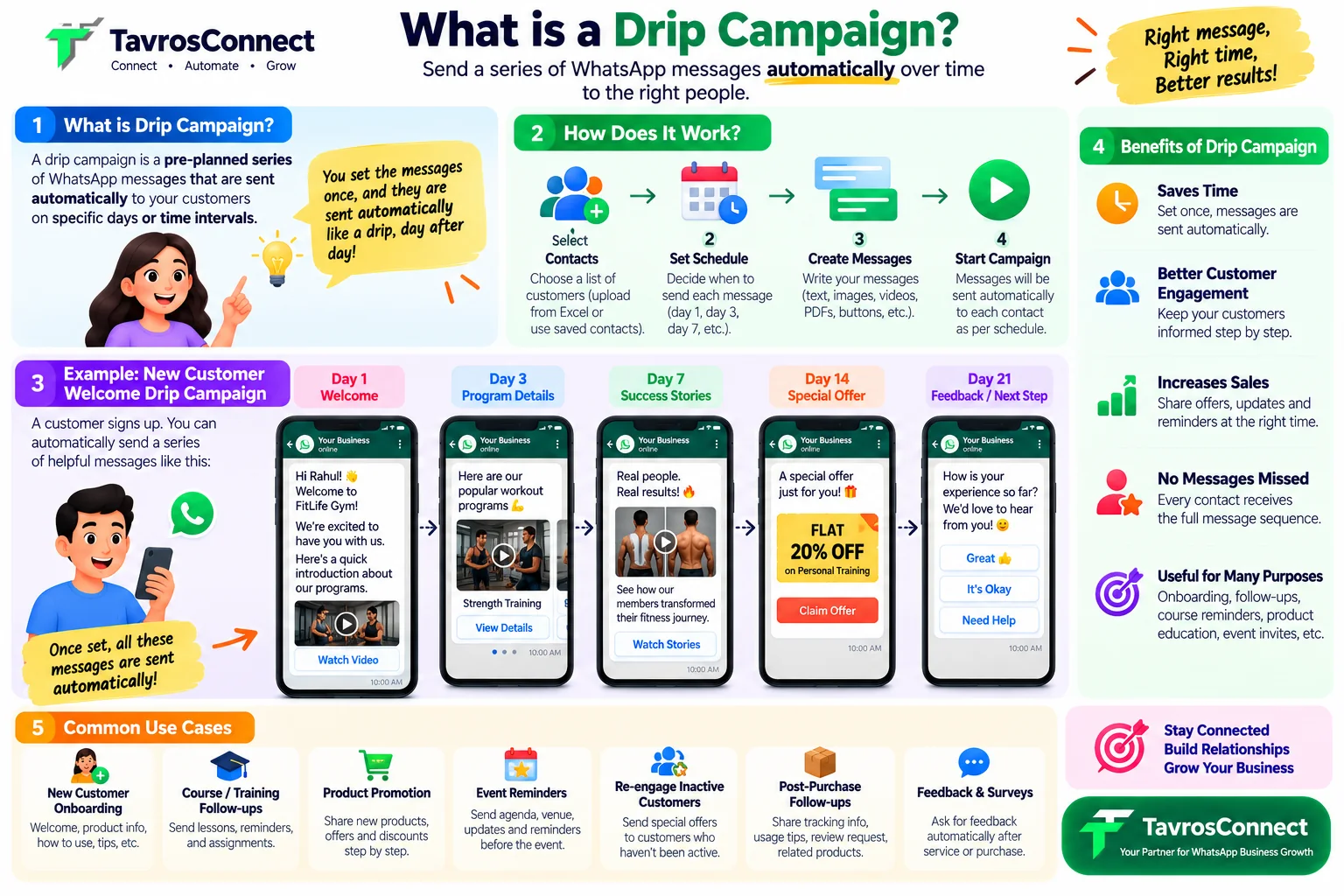
A drip campaign is a pre-planned series of WhatsApp messages that is sent automatically to your customers on specific days or at set intervals. You set the messages up once, and they go out like a drip, day after day, to each person from the moment they join.
A broadcast sends one message to everyone at once. A drip sends many messages, to each person, at different times. Use a broadcast for a festival sale and a drip for anything that has a journey, such as onboarding, follow-ups and renewals.
How does it work?
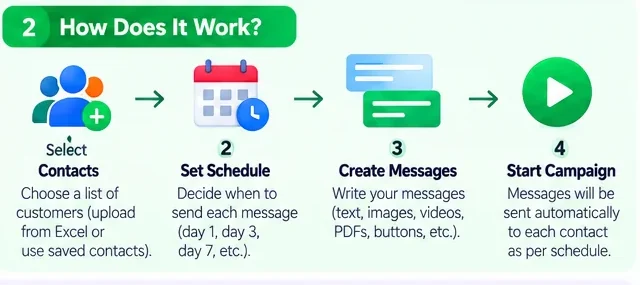
- Select contacts — upload a list from Excel or use your saved contacts.
- Set the schedule — decide when each message goes (day 1, day 3, day 7 and so on).
- Create the messages — text, images, videos, PDFs and buttons.
- Start the campaign — each contact gets the messages automatically, on their own schedule.
Example: a welcome drip for new customers
A customer signs up. Without any manual work, they receive a series like this:
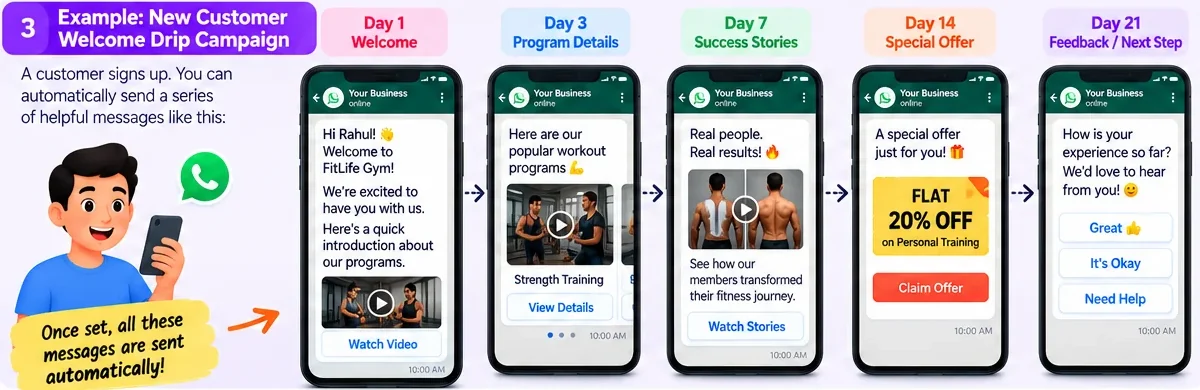
- Day 1 — Welcome. Thank them and introduce what you offer.
- Day 3 — Programme details. Show your most popular services.
- Day 7 — Success stories. Real results build trust.
- Day 14 — Special offer. A time-limited discount.
- Day 21 — Feedback. Ask how it is going and what they need next.
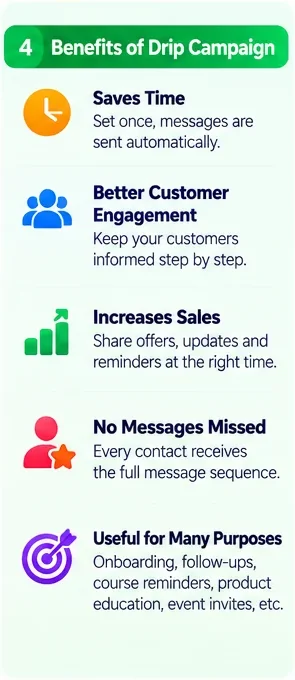
Benefits of a drip campaign
Where drip campaigns work well

Good habits
- Get permission first. Message only people who agreed to hear from you on WhatsApp, and make opting out easy.
- Stop when they reply. If a customer answers, a person should take over rather than the next scheduled message going out.
- Space messages out. Two or three days between messages feels helpful; two a day feels like spam.
- Measure and improve. Watch delivery, replies and opt-outs, then fix the weakest message.
How to set one up in TavrosConnect
Open Drip campaigns, choose your contacts, add your approved templates one by one and pick the gap between them. TavrosConnect sends each message on schedule, per contact.
समजा तुम्ही जिम चालवता. आज एक नवीन सदस्य जोडला गेला. तुम्ही एकच मेसेज पाठवून वाट पाहू शकता — किंवा आज स्वागत संदेश, तिसऱ्या दिवशी प्रोग्रामची माहिती, सातव्या दिवशी यशोगाथा आणि चौदाव्या दिवशी खास ऑफर पाठवू शकता. हा दुसरा मार्ग म्हणजेच ड्रिप कॅम्पेन.
ड्रिप कॅम्पेन म्हणजे काय?
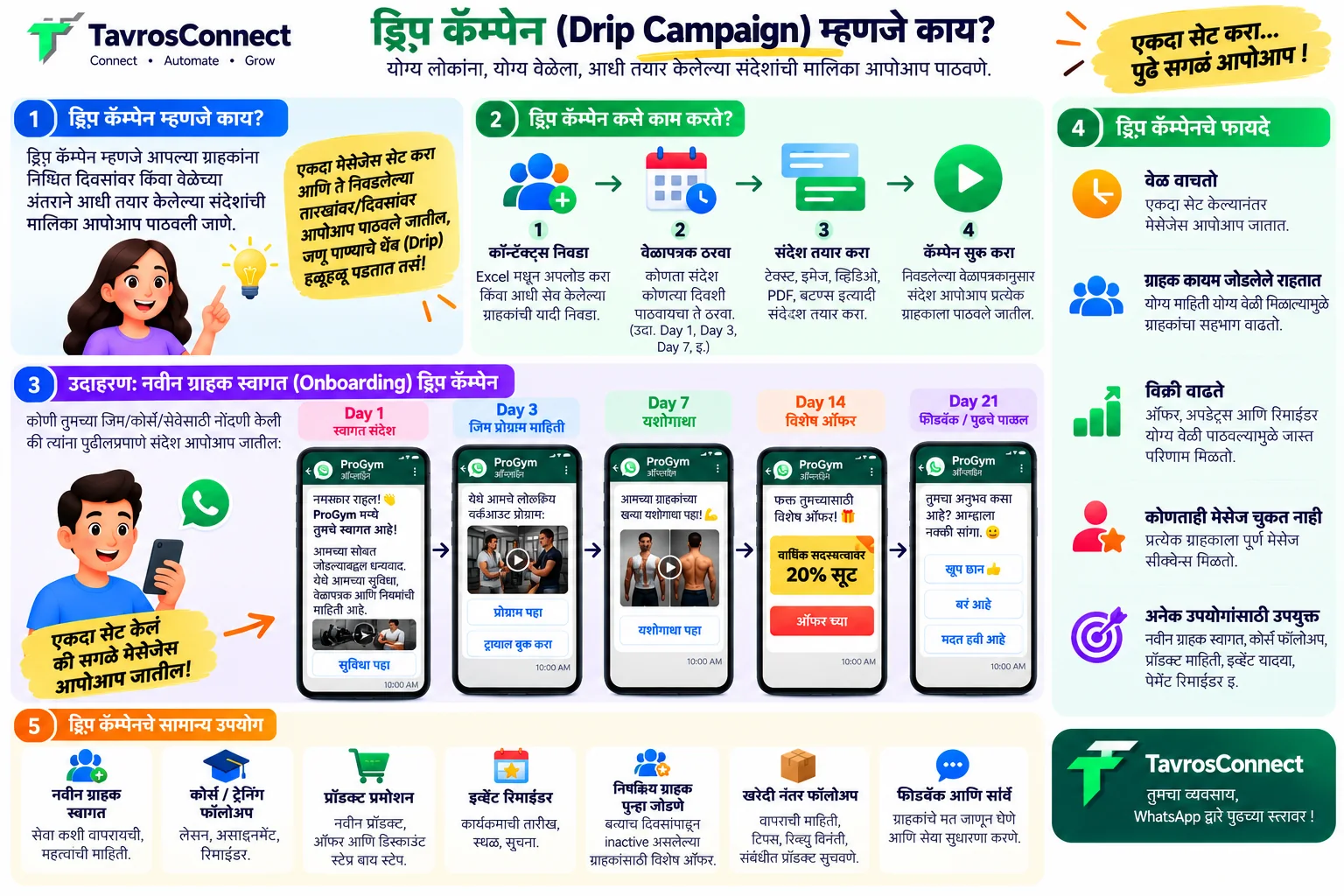
ड्रिप कॅम्पेन म्हणजे तुमच्या ग्राहकांना ठरलेल्या दिवशी किंवा ठरावीक अंतराने आधी तयार केलेल्या WhatsApp संदेशांची मालिका आपोआप पाठवणे. तुम्ही मेसेजेस एकदाच सेट करता, आणि ते पाण्याच्या थेंबांप्रमाणे (Drip) दिवसामागून दिवस प्रत्येक ग्राहकाला तो जोडला गेल्यापासून जात राहतात.
ब्रॉडकास्ट म्हणजे सर्वांना एकाच वेळी एकच मेसेज. ड्रिप म्हणजे प्रत्येकाला वेगवेगळ्या वेळी अनेक मेसेजेस. सणासुदीच्या सेलसाठी ब्रॉडकास्ट वापरा; आणि ऑनबोर्डिंग, फॉलो-अप, नूतनीकरण अशा "प्रवास" असलेल्या कामांसाठी ड्रिप वापरा.
ते कसे काम करते?
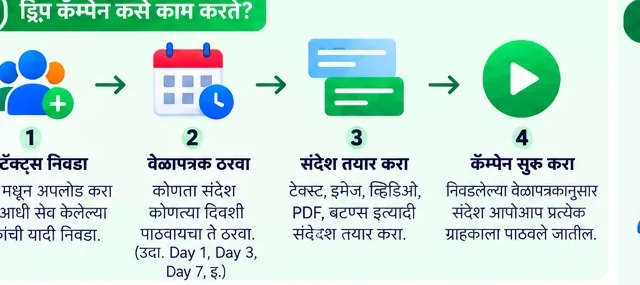
- कॉन्टॅक्ट्स निवडा — Excel मधून यादी अपलोड करा किंवा सेव्ह केलेले कॉन्टॅक्ट्स वापरा.
- वेळापत्रक ठरवा — कोणता संदेश कोणत्या दिवशी जाईल ते ठरवा (Day 1, Day 3, Day 7 इ.).
- संदेश तयार करा — टेक्स्ट, इमेज, व्हिडिओ, PDF आणि बटणे.
- कॅम्पेन सुरू करा — प्रत्येक ग्राहकाला त्याच्या स्वतःच्या वेळापत्रकानुसार संदेश आपोआप पोहोचतात.
उदाहरण: नवीन ग्राहकांसाठी स्वागत ड्रिप
एखादा ग्राहक नोंदणी करतो. कोणतेही हाताने काम न करता त्याला खालीलप्रमाणे संदेश मिळतात:
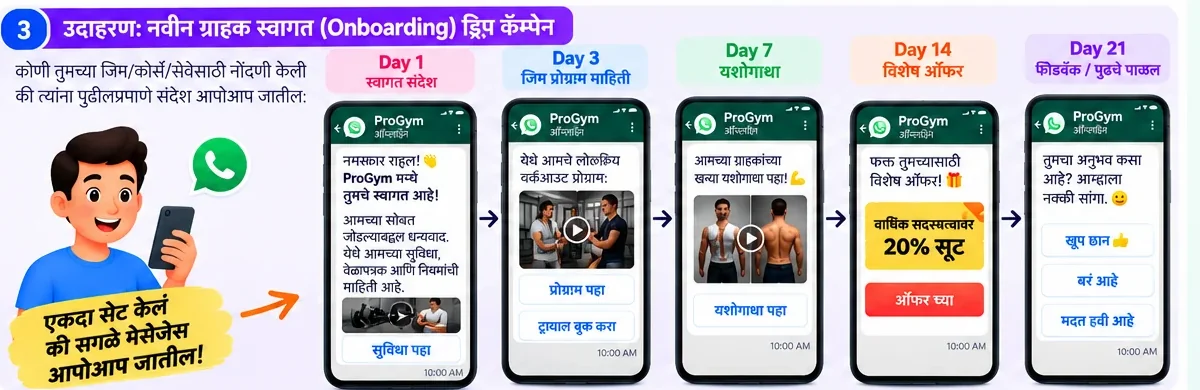
- Day 1 — स्वागत. आभार माना आणि तुमच्या सेवांची ओळख करून द्या.
- Day 3 — प्रोग्राम माहिती. सर्वात लोकप्रिय सेवा दाखवा.
- Day 7 — यशोगाथा. खरे निकाल विश्वास निर्माण करतात.
- Day 14 — विशेष ऑफर. मर्यादित काळासाठी सूट.
- Day 21 — फीडबॅक. अनुभव कसा आहे आणि पुढे काय हवे ते विचारा.
ड्रिप कॅम्पेनचे फायदे
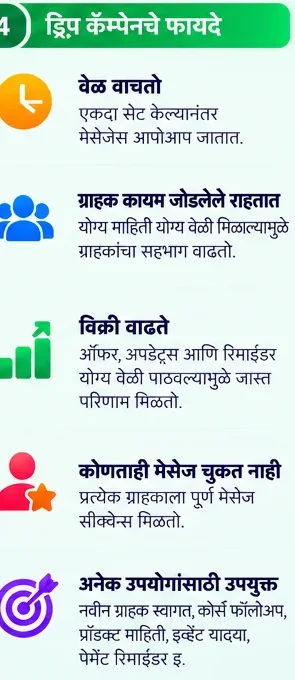
ड्रिप कॅम्पेन कुठे चांगले चालते?

चांगल्या सवयी
- आधी परवानगी घ्या. ज्यांनी WhatsApp वर तुमच्याकडून मेसेज घेण्यास संमती दिली आहे त्यांनाच पाठवा, आणि बंद करणे सोपे ठेवा.
- उत्तर आले की थांबवा. ग्राहकाने उत्तर दिले तर पुढचा ठरलेला मेसेज न जाता एका माणसाने संवाद सांभाळावा.
- मेसेजमध्ये अंतर ठेवा. दोन-तीन दिवसांचे अंतर उपयुक्त वाटते; दिवसातून दोन मेसेज म्हणजे स्पॅम.
- मोजा आणि सुधारा. डिलिव्हरी, रिप्लाय आणि ऑप्ट-आउट पाहा आणि सर्वात कमकुवत मेसेज सुधारा.
TavrosConnect मध्ये कसे सेट करावे
Drip campaigns उघडा, कॉन्टॅक्ट्स निवडा, मंजूर टेम्प्लेट्स एकामागून एक जोडा आणि त्यांच्यातील अंतर ठरवा. TavrosConnect प्रत्येक कॉन्टॅक्टसाठी ठरलेल्या वेळी संदेश पाठवते.